35 years’ experience within the computer and printer industry.

Well-functioning office photocopiers and printers are integral to the smooth flow of daily business.
At Printcom we offer printer service in Perth to meet your needs. But how often these are required, as well as the rate of eventual equipment replacement, can be impacted by workplace habits.
How long can a photocopier last?
The lifespan of an A4 portable printer on average ranges anywhere from 2-10 years. The volume of work and quality of care has a marked impact on the longevity of office equipment.
Below are easy tips for premium photocopier maintenance. Encouraging and educating staff to be conscientious in their care can save your company the cost of repairs, and early equipment replacement.
Cleaning is paramount
Dust and paper debris are the main offenders when it comes to a reduced lifespan for commercial copiers. Just remember to turn off the power before you begin any cleaning routine.
Certain parts may require a daily dust over. Other interior elements could only need an annual clean. Read the manual carefully to work out the most advantageous cleaning schedule.
- Clean glass
Spray the cleaner onto a cloth, rather than the glass itself, and clean gently. A harsh cloth risks miniscule scratches, so choose soft fabrics.
- Dust inside and out
Overzealous dusting can risk damage. Select cleaning products carefully. A makeup brush or paint brush is a delicate alternative to cloth.
Train your staff
Not knowing how to correctly use the current model can result in paper jamming and unnecessary reprinting, meaning uninformed staff contribute to a shortened lifespan for office photocopiers and printers.
Seek professional assistance
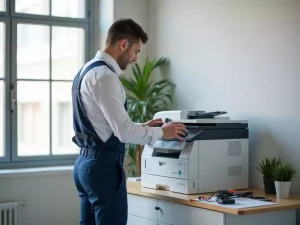
Well-meaning DIY staff may cause damage while trying to fix office equipment. Did you know experienced Printcom technicians arrive within four hours in Western Australia to provide printer and copier repairs?
Don’t rush your machine
Copiers and printers have their own self-maintenance routines, especially when use is erratic. Don’t turn a machine in a test or recalibration mode on and off. These functions exist for a reason.
Maintain internal elements
Follow the manual to clean, repair, and replace internal parts. Carrying out certain steps safely and correctly will require a skilled technician. Speak to the professionals at Printcom for clarification.
Choose paper wisely
Quality paper won’t clog the machine with as much internal debris. Using decent paper and avoiding overfilling are simple practices with long-term benefits for commercial copiers and printers.
Invest in compatible supplies
Whether ink or toner, invest in supplies that help your equipment remain in the best possible shape. Saving money and using subpar products may lead to the earlier replacement of copiers and printers.
You can also read: A Guide To Choose The Best Printer Repair Service For You
Take care not to overheat equipment
Photocopiers require ventilation so warm air can exit freely. Accumulated dust also contributes to overheating. During winter, take care not to have heated air blasting onto your equipment.
How often does a photocopier need to be serviced?
A number of factors effect photocopier and printer service schedules. These include the brand and model, as well as the document traffic equipment sees on a daily, weekly, and monthly basis.
We can address maintenance requirements
Talk to the team at Printcom to ascertain the printer sales in Perth schedule for your professional needs. And if you have questions, ask away. We’re happy to clarify extra steps to take between service calls!